Snags described in words
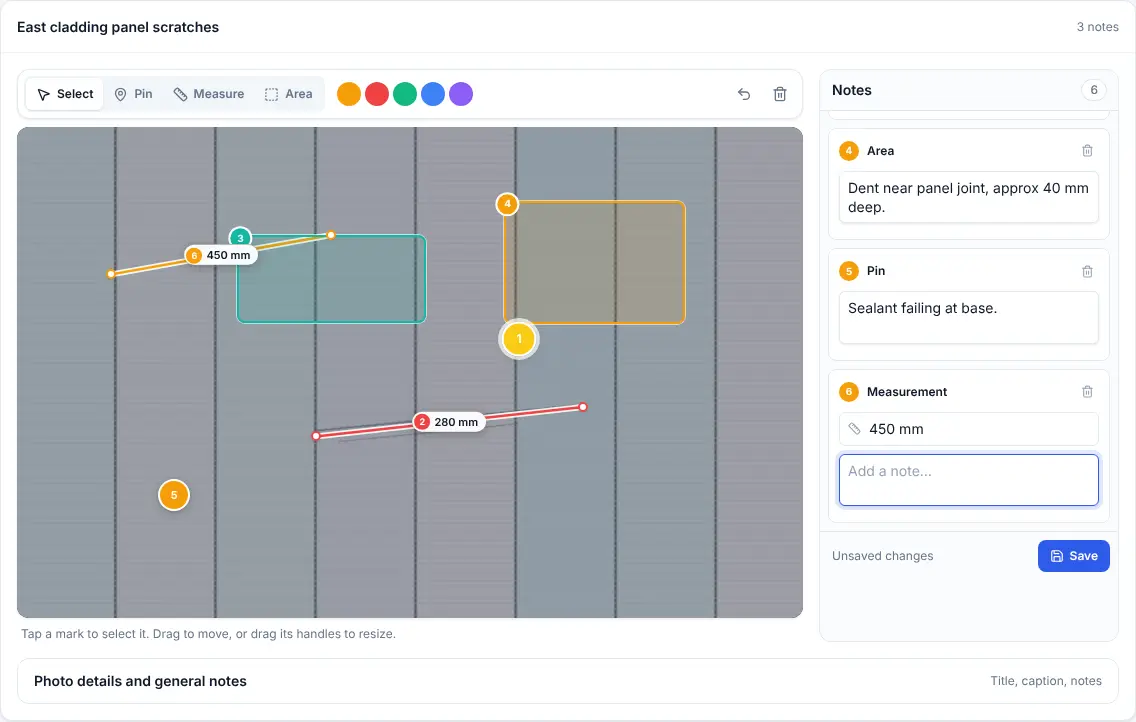
'Scuff by the door' means nothing a week later without a marked-up photo.

Snagging and handover
Walk the site with the client, capture every snag with a marked-up photo, and get a signature on the phone. The snag list report is shared by link the same afternoon.
The problem
'Scuff by the door' means nothing a week later without a marked-up photo.
Getting the client to agree the list after the walkround adds days to handover.
Different versions of the snag list end up in emails, notebooks and spreadsheets.
How it works
The office plans and approves on the desktop. The team in the field works from a phone app that keeps going with no signal.
Create the survey against the project and site, with the snagging template.
Photo, arrow or circle on the problem, a note and a measurement if it matters.
The client signs on the surveyor's phone. The signature locks once captured.
Approve it in the office and send a link or a branded PDF the same afternoon.
Features
Draw on photos with arrows, circles, text and measured lines, zoomed right in.
Client sign-off captured on the phone and locked against changes.
Send the finished report as a link, or as a generated PDF.
Every walkround is kept against the customer, project and site for a full history.
Any change made in the office after the visit is recorded.
Basements and new builds with no signal are fine; it all sends later.
Example template
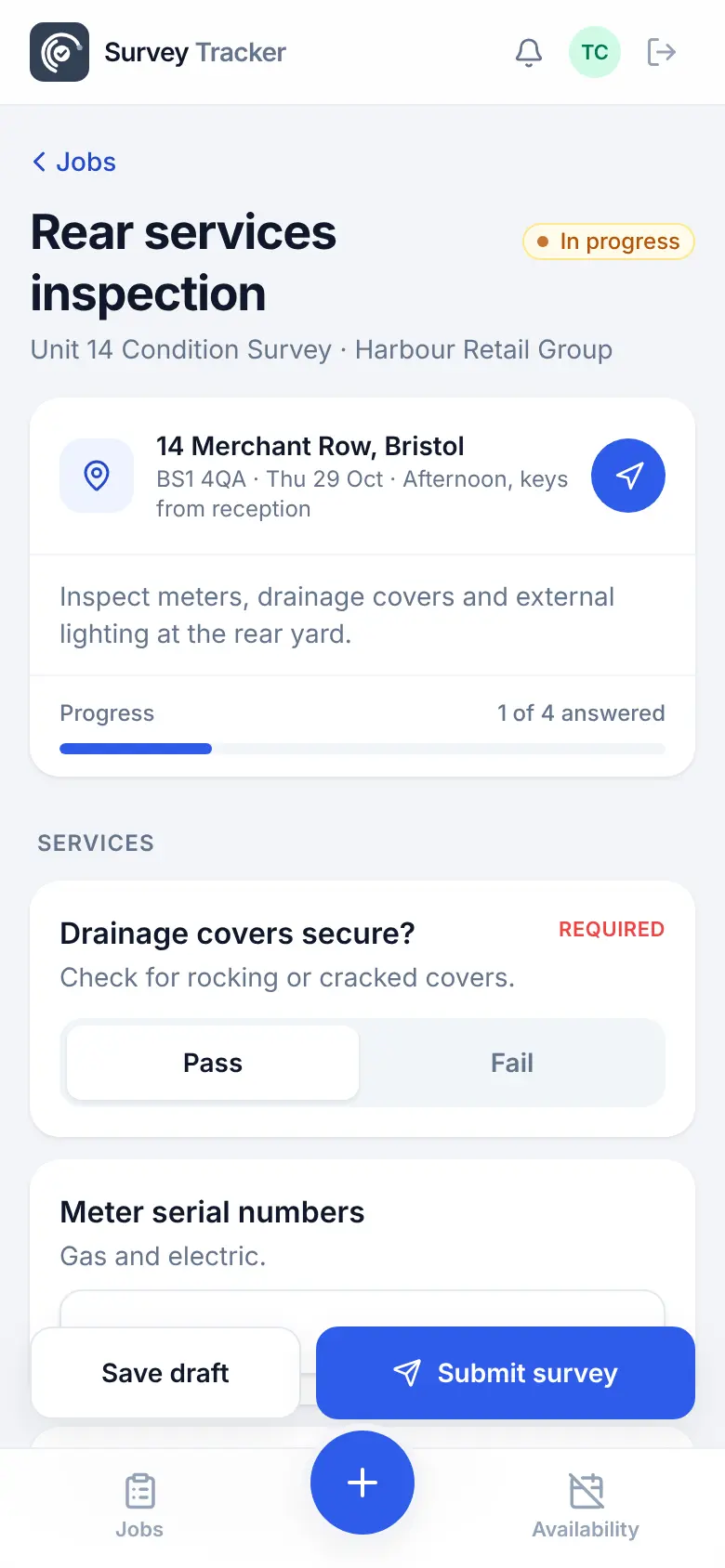
Build your own template once, with the question types you need, and reuse it on every job. Required questions can't be skipped, and rules hide questions that don't apply.
Template
Questions
Yes. Add a signature question and the client signs on the surveyor's phone. Once captured, the signature is locked.
Approve the survey and send a share link, or download the branded PDF report with every marked-up photo.
Yes. Contractor accounts can accept jobs on their phone and carry out surveys, and your office reviews them before sign-off.
Yes. Office admins can fill in or correct any survey, even after approval, and the change is recorded in the audit log.
Get in touch
Tell us a little about your team and we'll set up a demo using the kind of surveys you do every day. Or jump straight into the live demo.